
Download R-Studio Data Recovery – Secure, Reliable File Recovery for Windows, Mac & Linux
Losing important files due to accidental deletion, formatting, or disk failure can be devastating. R-Studio Data Recovery is a powerful, professional-grade tool designed to help you retrieve lost or deleted data from hard drives, SSDs, USB drives, memory cards, RAID arrays, and more. With support for NTFS, FAT, exFAT, HFS+, APFS, and other file systems, R-Studio offers deep scanning technology that goes beyond surface-level recovery.
Whether you're a home user, student, or IT professional, this software provides a secure and efficient way to recover your critical files. The free trial version allows you to preview recoverable files, giving you confidence before purchasing the full version. R-Studio is available for Windows, Mac, and Linux, making it a versatile solution for all users.
With features like RAID recovery, encrypted file support, and a built-in hex editor for advanced users, R-Studio stands out as one of the most reliable data recovery tools on the market.
Why R-Studio Data Recovery Stands Out in the Market
R-Studio Data Recovery isn't just another file recovery app—it's a comprehensive data rescue solution engineered for both beginners and advanced users. One of its standout features is its deep scan technology, which can recover files even after a disk has been formatted or severely corrupted. Unlike basic recovery tools that only scan the file system metadata, R-Studio performs a sector-by-sector analysis, increasing the chances of finding lost data. This makes it especially effective when files have been deleted from NTFS or exFAT drives, where standard tools often fail.
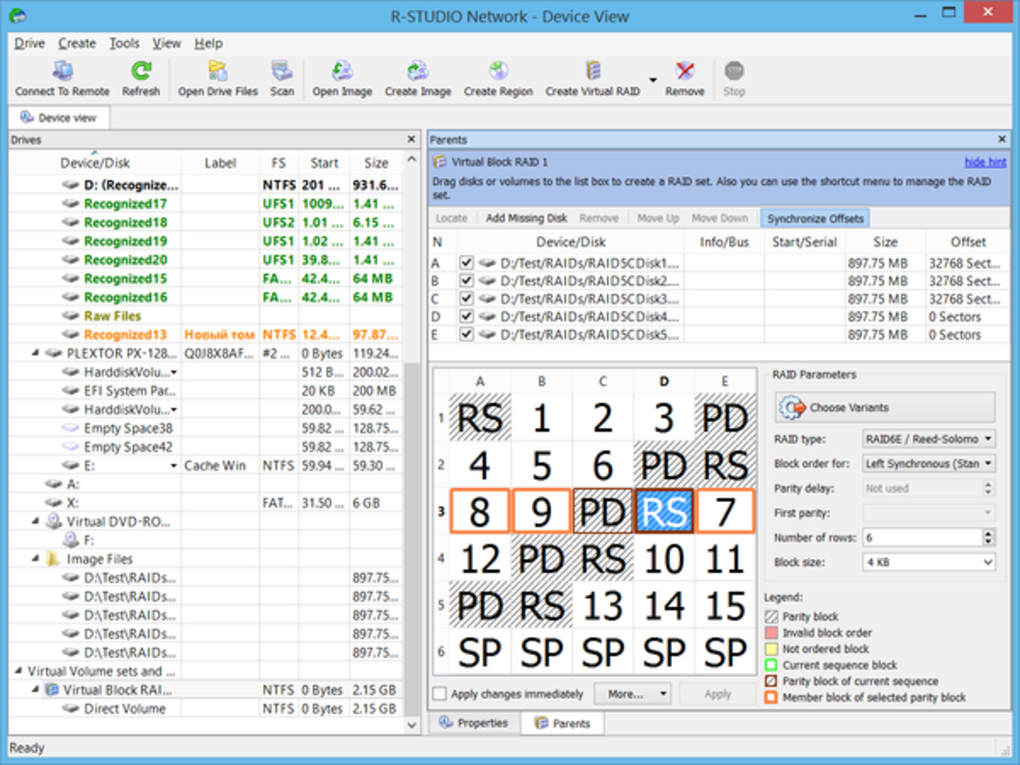
Another major advantage is its support for complex storage configurations. Whether you're dealing with a RAID 0, RAID 1, or even a hardware RAID array, R-Studio can reconstruct the data and recover files with high accuracy. This is invaluable for businesses and IT administrators managing critical servers. Additionally, it supports encrypted and compressed files, meaning if your lost file was ZIPped or encrypted via BitLocker, R-Studio can still recover it—provided the original encryption keys are accessible.
For power users, the built-in disk hex editor allows direct manipulation of MFT (Master File Table), MBR (Master Boot Record), and LDM (Logical Disk Manager) structures. This level of control is rare in consumer-grade software and gives experts the ability to manually repair corrupted file systems. The software also enables you to create a disk image before recovery, a crucial step recommended by developers to prevent overwriting the original data. This image can be processed just like the original drive, ensuring safer recovery. With its multi-platform compatibility—Windows, Mac, and Linux—R-Studio ensures you’re never locked into one ecosystem.
How to Use R-Studio: Step-by-Step Guide for Safe Recovery
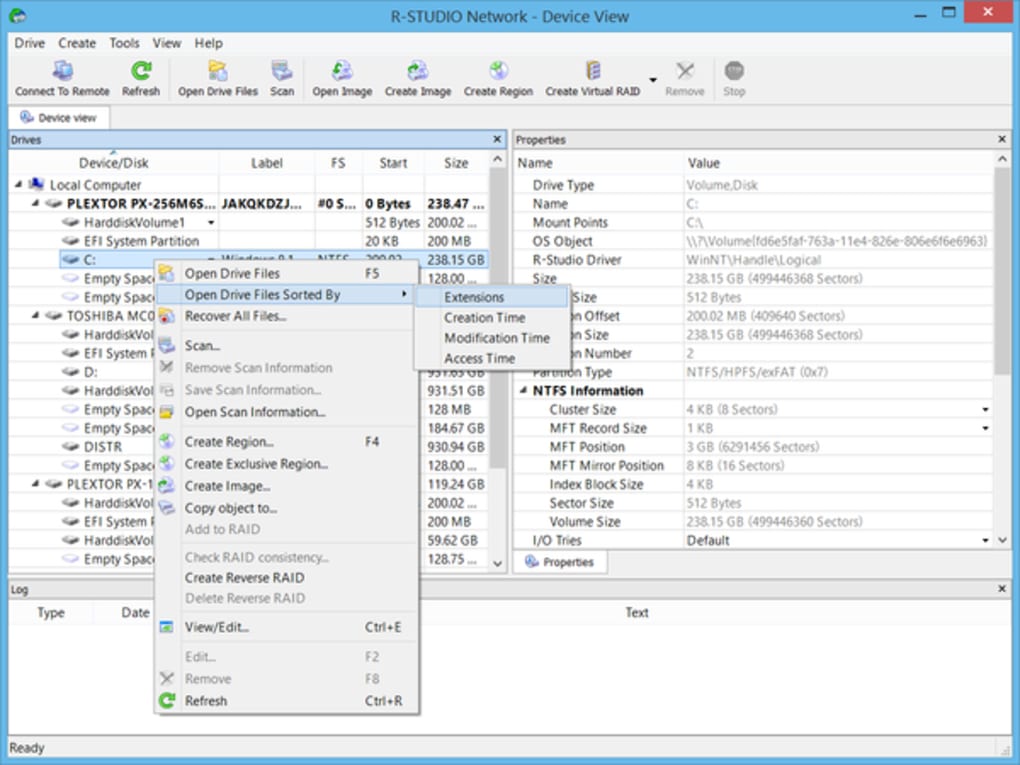
Using R-Studio Data Recovery is straightforward, even for users without technical expertise. First, download and install the software from the official website. Once installed, launch the program and select the drive or partition from which you want to recover files. The software will display a list of available storage devices, including external drives, SSDs, and RAID arrays.
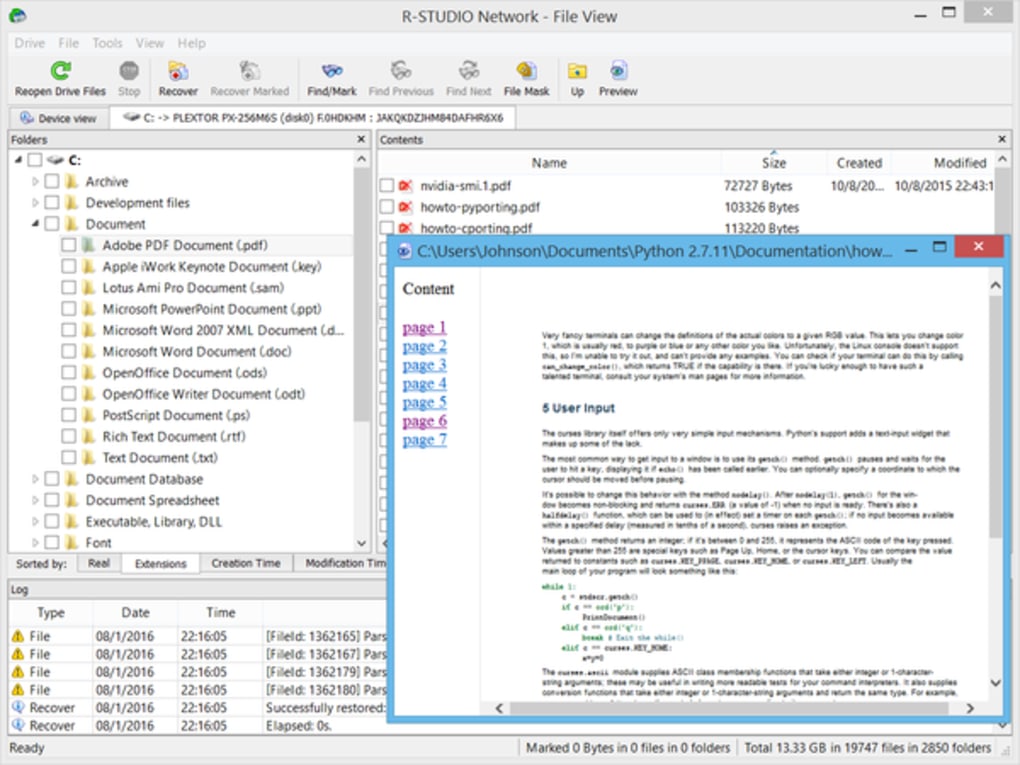
Next, choose the recovery mode. For most users, the "Quick Scan" is sufficient and fast. If no results appear, switch to "Deep Scan," which takes longer but searches every sector of the disk. During scanning, R-Studio will identify recoverable files and display them in a hierarchical tree structure, grouped by file type and location. You can preview files directly in the software—especially useful for documents, images, and videos—before deciding to restore them.
Here’s a critical tip: never save recovered files back to the same drive where the data was lost. This risks overwriting the very sectors you’re trying to recover. Instead, use an external drive or a different partition.
The free trial version allows you to preview files but not save them. To unlock full recovery, you’ll need to purchase a license and enter your registration key. After purchase, the software will generate a recovery report, which you can use for documentation or future reference.
For advanced users, the "Disk Image" feature is a game-changer. By creating a sector-level copy of the damaged drive, you preserve the original state and can perform multiple recovery attempts without risk. This is especially useful in forensic or enterprise environments where data integrity is paramount.
Compatibility & System Requirements
R-Studio Data Recovery is a cross-platform solution, supporting Windows (7, 8, 10, 11), macOS (10.12 and later), and Linux (various distributions). This broad compatibility ensures that users across different ecosystems can rely on the same powerful recovery engine. Whether you're using a desktop, laptop, or server, R-Studio adapts seamlessly to your environment.
The software is optimized for modern hardware and supports a wide range of storage devices. It works with standard SATA and NVMe SSDs, USB flash drives, SD cards, external hard drives, and even RAID configurations. It can handle both software and hardware RAID setups, including RAID 0, 1, 5, 6, and 10. This makes it ideal for IT professionals managing enterprise-level data centers.
System requirements are modest. On Windows, you need at least 1 GB of RAM and 500 MB of free disk space. macOS users should have at least 2 GB of RAM and 1 GB of free space. Linux users need a compatible kernel and sufficient storage for image creation. The software runs efficiently on older systems, making it accessible even for legacy hardware.
Pros and Cons: A Balanced Look at R-Studio
- Pros:
- Deep scan technology recovers files after formatting and corruption
- Supports RAID, encrypted, and compressed files
- Available for Windows, Mac, and Linux
- Safe recovery with disk image creation
- Advanced hex editor for experts
- Free trial with file preview capability
- Cons:
- Full recovery requires a paid license
- Deep scan can take hours on large drives
- Steep learning curve for beginners
- Higher price point compared to basic tools
- Not ideal for non-technical users without guidance
Frequently Asked Questions (FAQ)
-
Can R-Studio recover files after a disk has been formatted?
Yes, R-Studio’s deep scanning technology can recover files even after a disk has been formatted. However, the success rate depends on how quickly you act and whether the disk has been written to since formatting.
-
Is R-Studio safe to use on my main system?
Yes, R-Studio is safe to install and run on your primary system. It does not modify the original drive during scanning. Always save recovered files to a different drive to avoid data overwriting.
-
Can I recover files from a RAID array?
Absolutely. R-Studio supports both software and hardware RAID configurations, including RAID 0, 1, 5, 6, and 10. It can reconstruct the array and recover data even if the RAID is degraded.
-
Does R-Studio work on Mac and Linux?
Yes, R-Studio is available for macOS and Linux, in addition to Windows. The interface and functionality are consistent across all platforms.
-
How do I get the full version after the trial?
After the free trial, you can purchase a license directly from the R-Studio website. Once activated, you’ll gain full access to recovery features and can save recovered files.
Final Verdict: Is R-Studio Worth It?
If you’ve experienced data loss, R-Studio Data Recovery is one of the most reliable tools you can use. While it’s not a magic fix, its advanced scanning, multi-platform support, and RAID recovery capabilities make it a top-tier choice. The free trial gives you a risk-free way to test its effectiveness before investing. For users who value data integrity and need a professional-grade solution, R-Studio is an excellent investment. Download it today and protect your digital life with confidence.
CTA: Download R-Studio Data Recovery Now – Secure, Fast, and Reliable File Recovery for All Platforms







